
Integrations
Integrations bring meetings, mail, files, and conversations into Alpha. Open Settings > Integrations to connect a provider, change the vaults it feeds, choose exact material, or diagnose a sync.
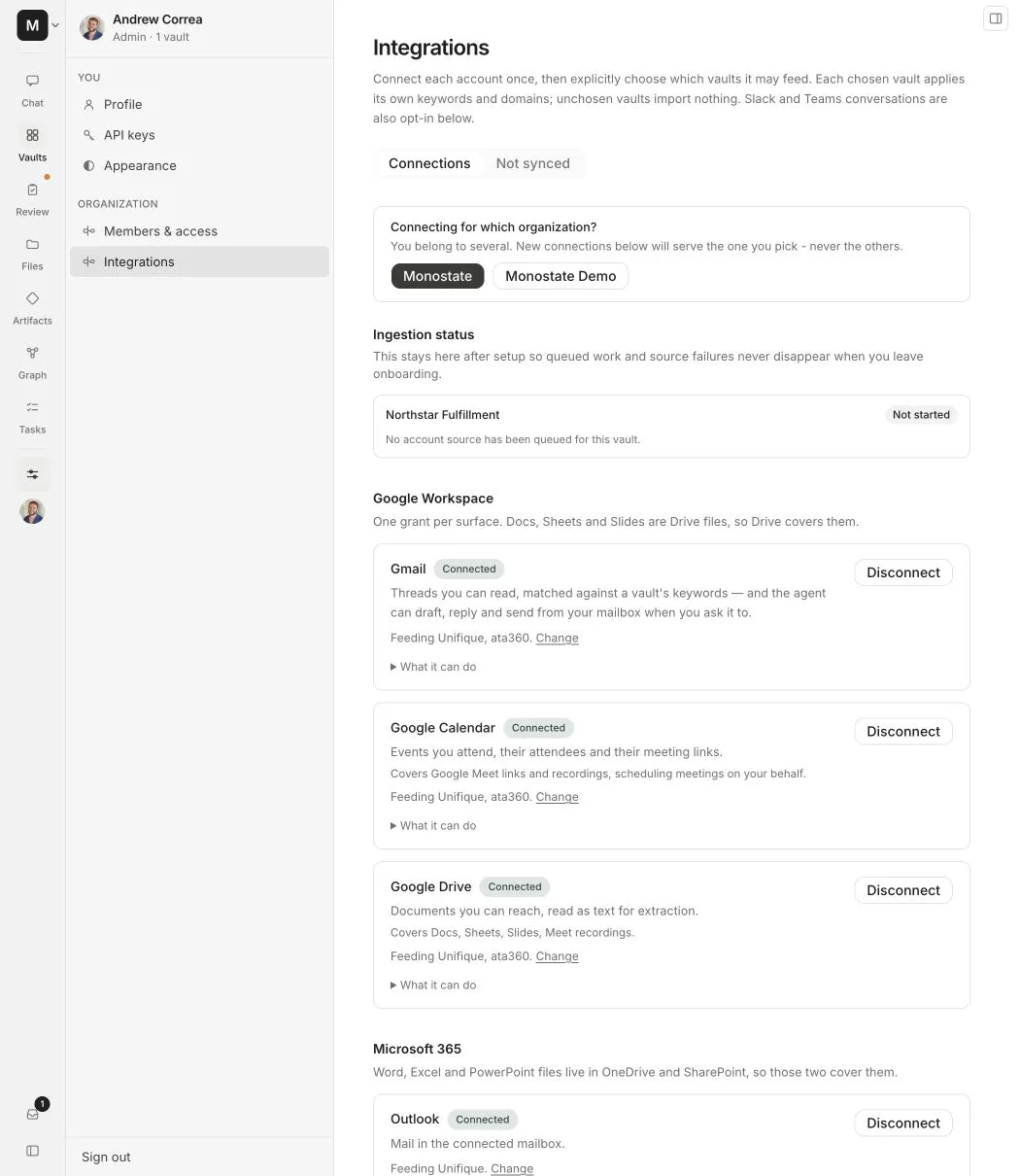
Connection and routing are separate
A connected account has permission to list eligible work. It does not import everything, and it does not choose a vault for you.
For every connection:
- Connect or authorize the service.
- Choose which vaults the connection may feed.
- Configure each destination vault’s routing rules.
- Approve exact folders, files, channels, DMs, or conversations where required.
- Start or retry ingestion and review its status.
If a connection says Not importing anything, choose at least one vault before expecting new data.
Google Workspace
One Google account can expose several source types:
Drive search can match a client name inside indexed document text, not only in the title. Shared Drive results retain their hierarchy so a parent folder can be approved as a continuing source.
Microsoft 365
Microsoft integrations include Outlook mail and calendar, OneDrive, and Microsoft Teams.
Alpha asks for the combined Microsoft permission set when you connect or reconnect a Microsoft service. This prevents a later Outlook or OneDrive consent from replacing the grant that Teams needs.
Teams requires an account and license that can list the relevant conversations. It does not use keywords as a substitute for selecting them.
Slack
Slack is installed once for each Slack workspace. After installation, choose only the channels, DMs, or group messages Alpha should read and assign each one to a vault.
Public channels
Alpha can join a selected public channel when the current Slack installation grants channels:join. If the app manifest gained that permission after the workspace installed Alpha, the connection card shows Reconnect Slack. Reconnect once, then refresh the picker.
Private channels
Slack hides a private channel from apps until someone invites the app from inside that channel. Open the channel in Slack and enter /invite @Alpha, then refresh the conversation list in Alpha.
Private channels are labeled separately after they become visible. Selecting a channel does not widen access to any other channel.
Direct messages
DMs and group messages are explicit choices. Select only the conversations that belong in the destination vault.
Circleback
Circleback can send meeting records through OAuth or a token-based connection. Vault managers can add Circleback tags to route incoming meetings. When a vault has tags, an unmatched meeting remains quarantined until a manager assigns or deletes it.
When no Circleback tags are configured, the vault accepts records intentionally sent to its webhook.
Choose destinations
Use Change on a connected service to add or remove its destination vaults. This changes where future material may be routed. It does not automatically move data already imported into another vault.
Removing the last destination leaves the connection active but stops it from feeding new work.
Review material not yet synced
The Not synced tab collects eligible items that are waiting for a human routing decision.
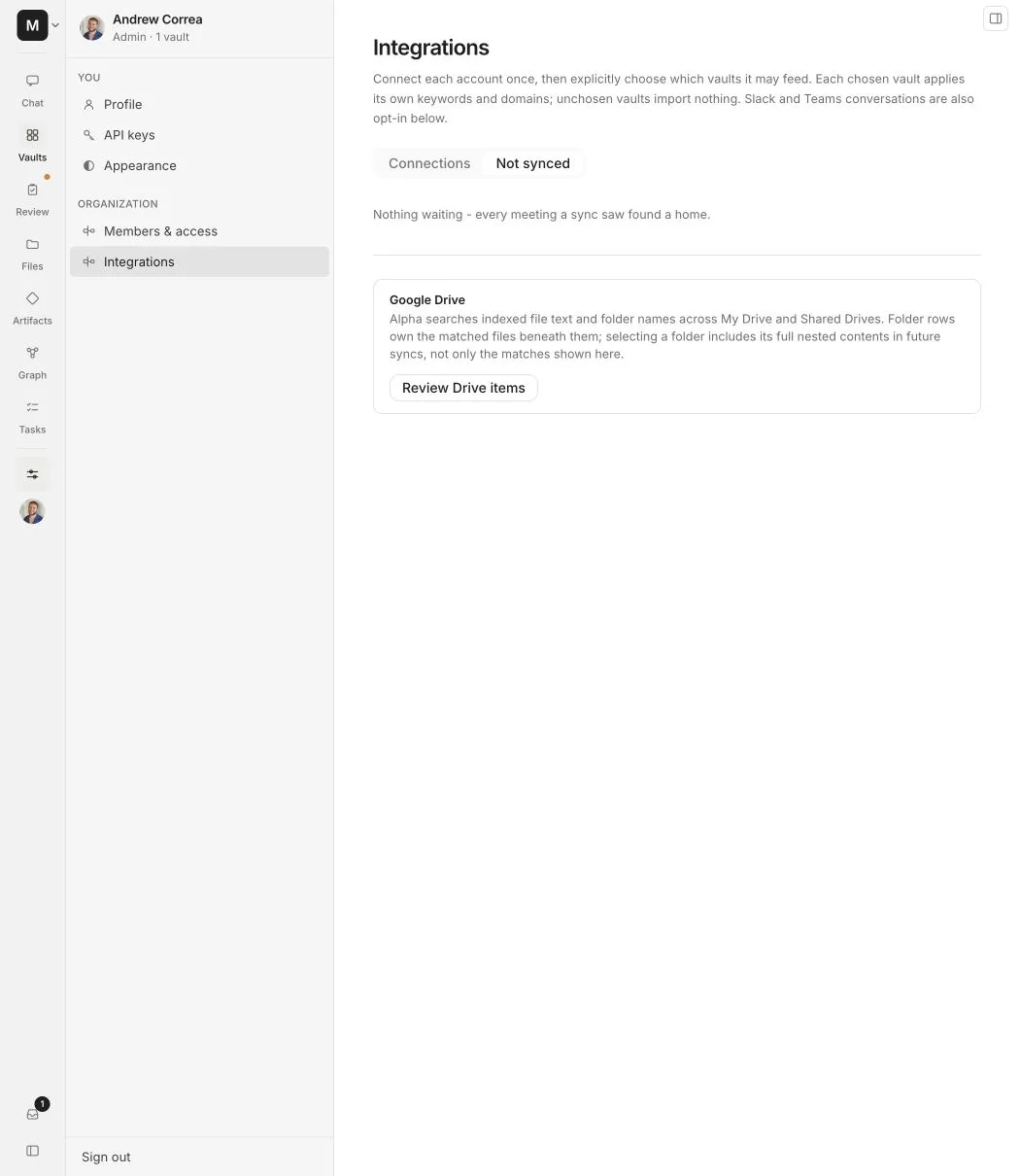
You may see:
- Meetings that no current vault rule claimed
- Drive folders or files awaiting a destination
- Teams conversations awaiting assignment
- Slack conversations that have not been selected
Choose a destination, approve the item, or dismiss it. Dismissal prevents the unresolved item from repeatedly appearing as work to do; it does not disconnect the provider.
Understand connection status
Monitor ingestion
The page keeps ingestion status visible per destination vault. Use the counts and latest error to distinguish a queued run from importing, processing, completion, or a partial failure.
Reconnecting an account does not delete existing vault data. It restores permission for future imports and retries.