
Set up your workspace
Onboarding connects your work accounts to Alpha, routes approved material into the right vaults, and starts ingestion. A new member can use vaults they were invited to, request access to existing vaults, or create a new vault when the work does not already have one.
The flow has five core steps. A sixth selection step appears when a connected source needs an exact folder, file, channel, DM, or conversation choice.
Before you begin
You need an Alpha account and access to an organization. It helps to know:
- Which client, project, or internal team each source belongs to
- The names, project codes, and domains that identify that work
- Which Drive folders, Slack channels, or Teams conversations Alpha may read
- Whether an existing vault already covers the same work
Do not create another vault when your organization already has one for the client or project. Join it, ask an admin to add you, or request access from the vault directory.
1. Confirm your profile and organization
Check your name and profile image. Organization admins can also set the organization name and logo shown throughout Alpha.
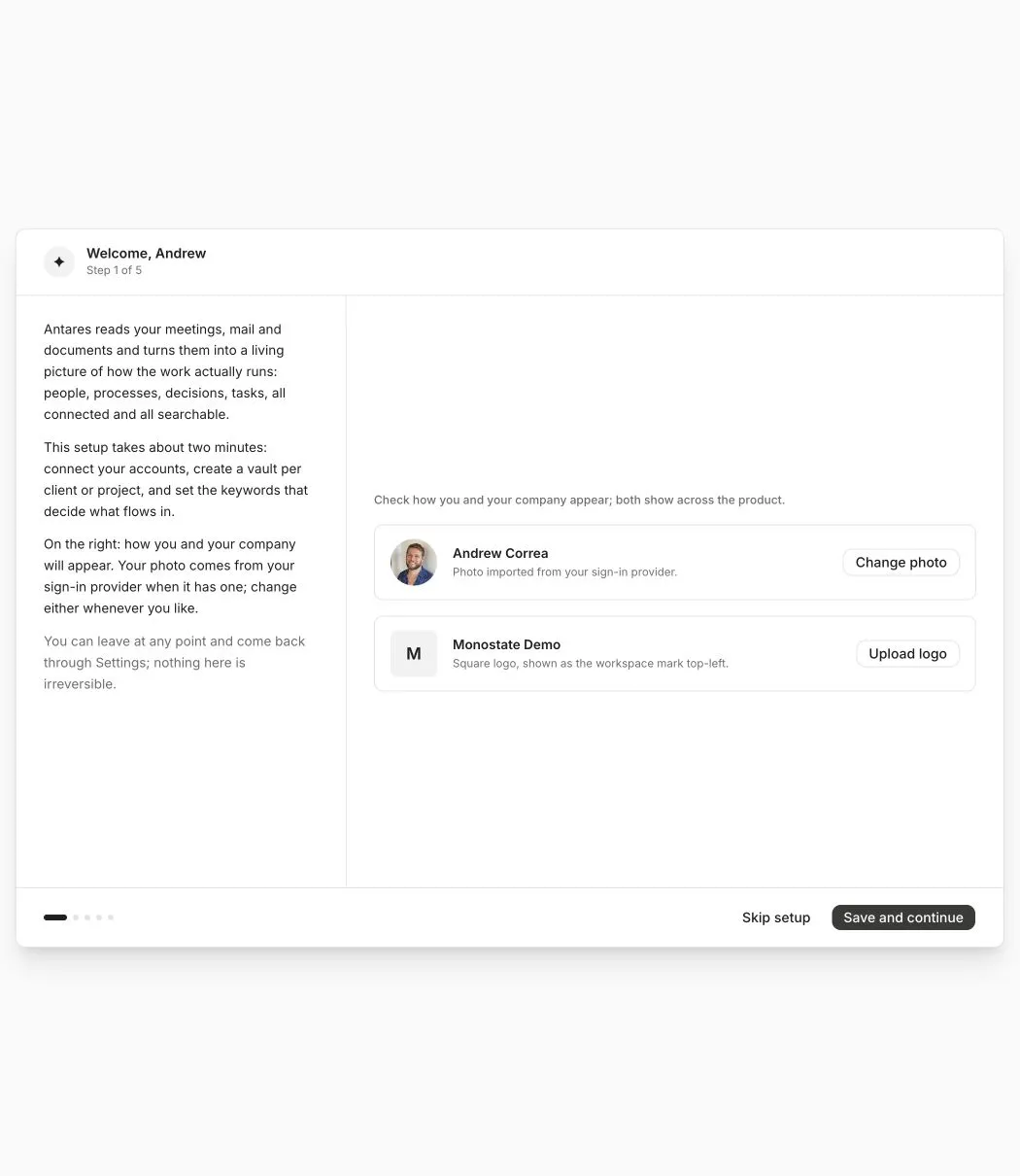
Your organization is the top-level membership boundary. Vaults sit inside it and control access to individual clients, projects, and internal work.
2. Connect work accounts
Connect only the services that contain work you want Alpha to process. Each connection belongs to you, even when several members of the organization connect the same provider.
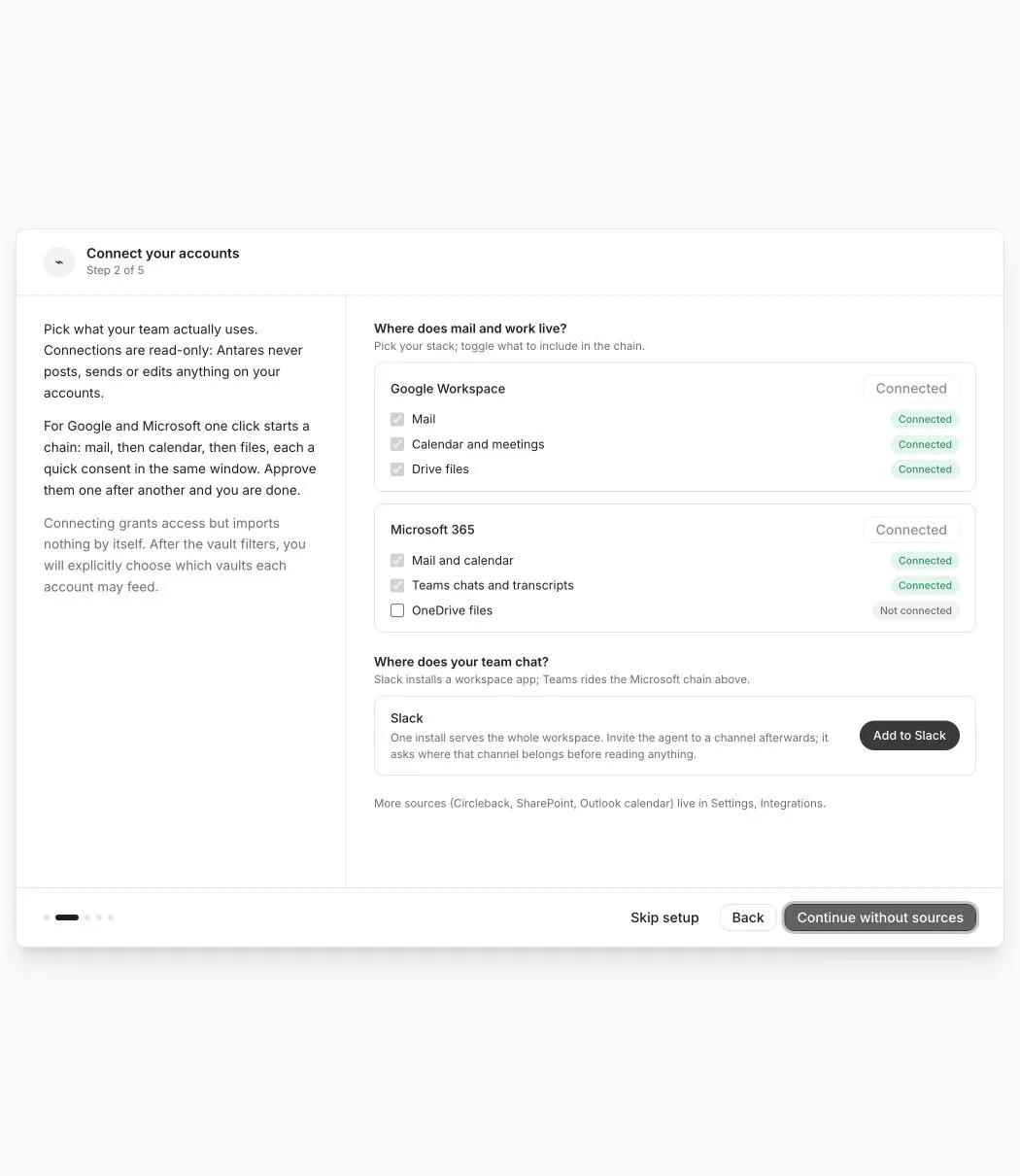
Connecting an account gives Alpha permission to list eligible source material. It does not import the whole account. Routing rules and exact selections decide what enters each vault.
Microsoft connections
Microsoft uses one consent grant for its connected services. Alpha requests the combined permission set when you connect Outlook, Calendar, OneDrive, or Teams, so adding one Microsoft service does not remove another service’s grant.
If Microsoft reports that consent has changed or expired, use Reconnect. Existing imported data remains in its vault while the account is disconnected.
Slack installations
Slack is installed once for each Slack workspace. Public channels can be selected after the current installation grants Alpha permission to join them. Slack does not reveal a private channel to Alpha until a member invites Alpha from inside that channel.
A source can be connected without feeding any vault. This is intentional. Choose its destinations before expecting an import.
3. Use an existing vault or create one
Alpha shows the vaults you can already access, including vaults you were invited to before signing in.
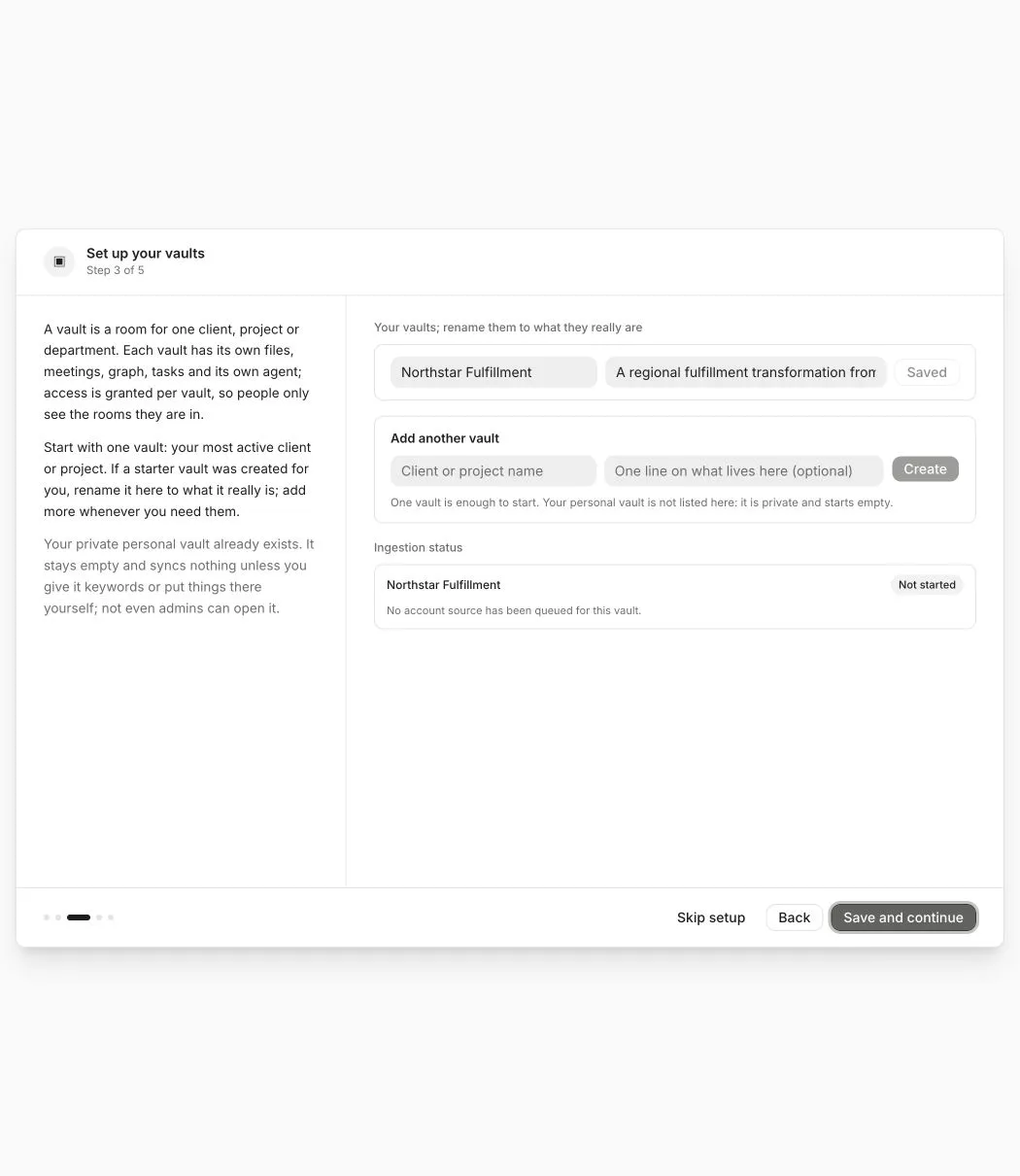
For every vault, confirm the purpose and whether one of your connected sources should feed it. A connection with no destination imports nothing.
When you type a new vault name, Alpha checks for similar vaults:
- If you already have access, use the existing vault.
- If a similar vault exists but you do not have access, request access.
- Create a new vault only when it represents genuinely different work.
Access requests go to the vault admins. An approver chooses your vault role and can add you to other related vaults at the same time. You receive an in-app notification when the request is approved or rejected.
4. Define routing rules
Routing rules decide which mail and calendar items are eligible for a vault. Start with specific client names, project codes, product names, and verified domains.
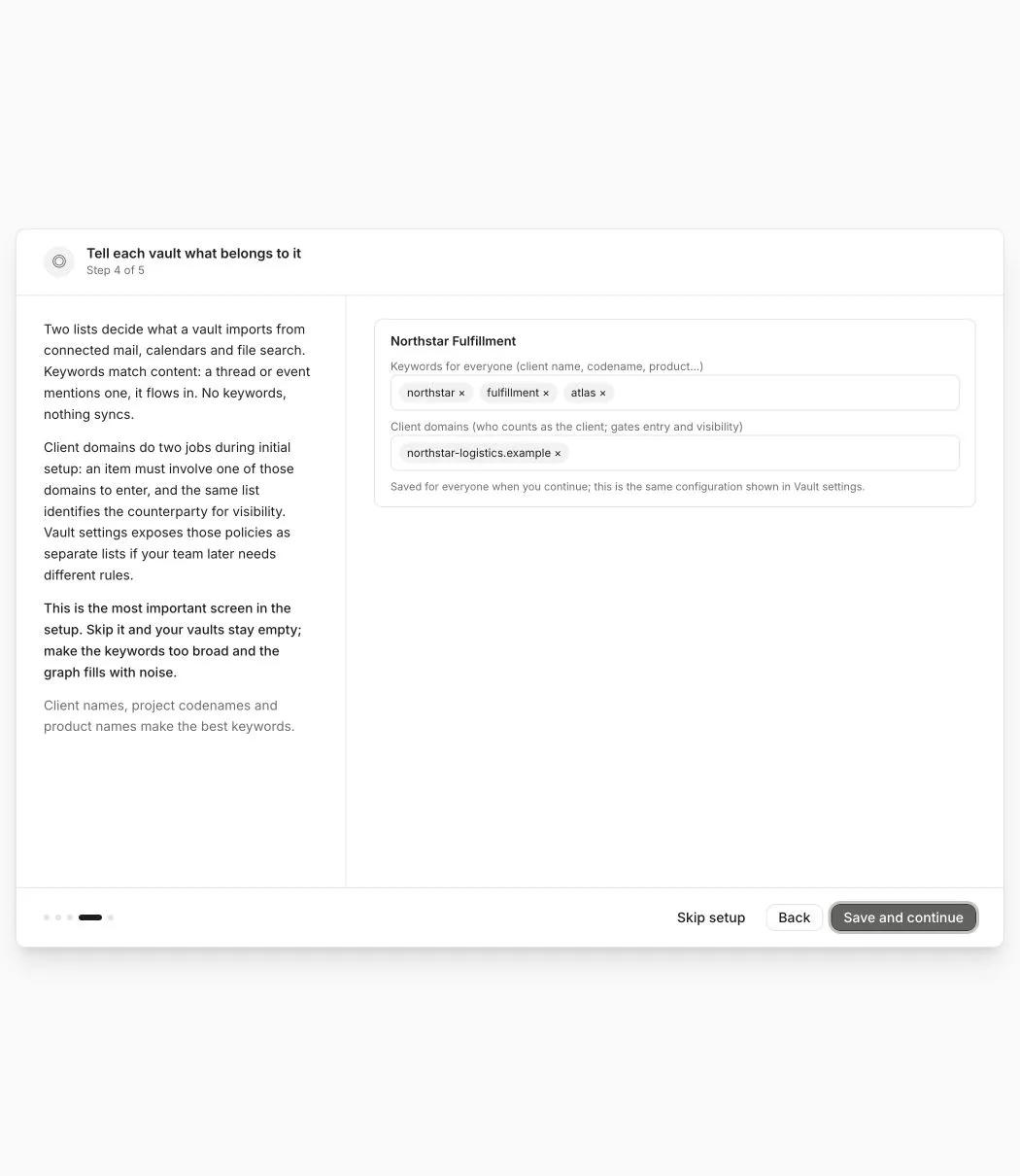
Rules you add as a regular member apply to material from your connected accounts. You can add to the shared vault configuration without removing rules another person created. A vault admin can review member additions and promote selected rules for everyone.
See Route work into vaults for the full rule order and internal meeting fallback.
5. Choose exact files and conversations
This step appears only when at least one connected source needs an exact selection.
Google Drive
Search results cover indexed file text, file and folder names, metadata, My Drive, and Shared Drives. Review the hierarchy before applying anything.
- Selecting a folder includes its approved contents and watches for new files added to that folder.
- Selecting one file includes only that file.
- Selecting a parent folder selects the files and folders beneath it.
- Choose a destination vault, then apply the selection.
Microsoft Teams
Choose the chats or channels Alpha may read and assign each one to a vault. Teams does not use vault keywords as a substitute for an exact conversation choice.
Slack
Choose public channels, DMs, or group messages and assign each one to a vault. Private channels become selectable only after someone invites Alpha from inside Slack.
Nothing in this step is imported merely because it appears in the picker.
6. Verify the setup
The final screen summarizes what will happen before any work is queued.
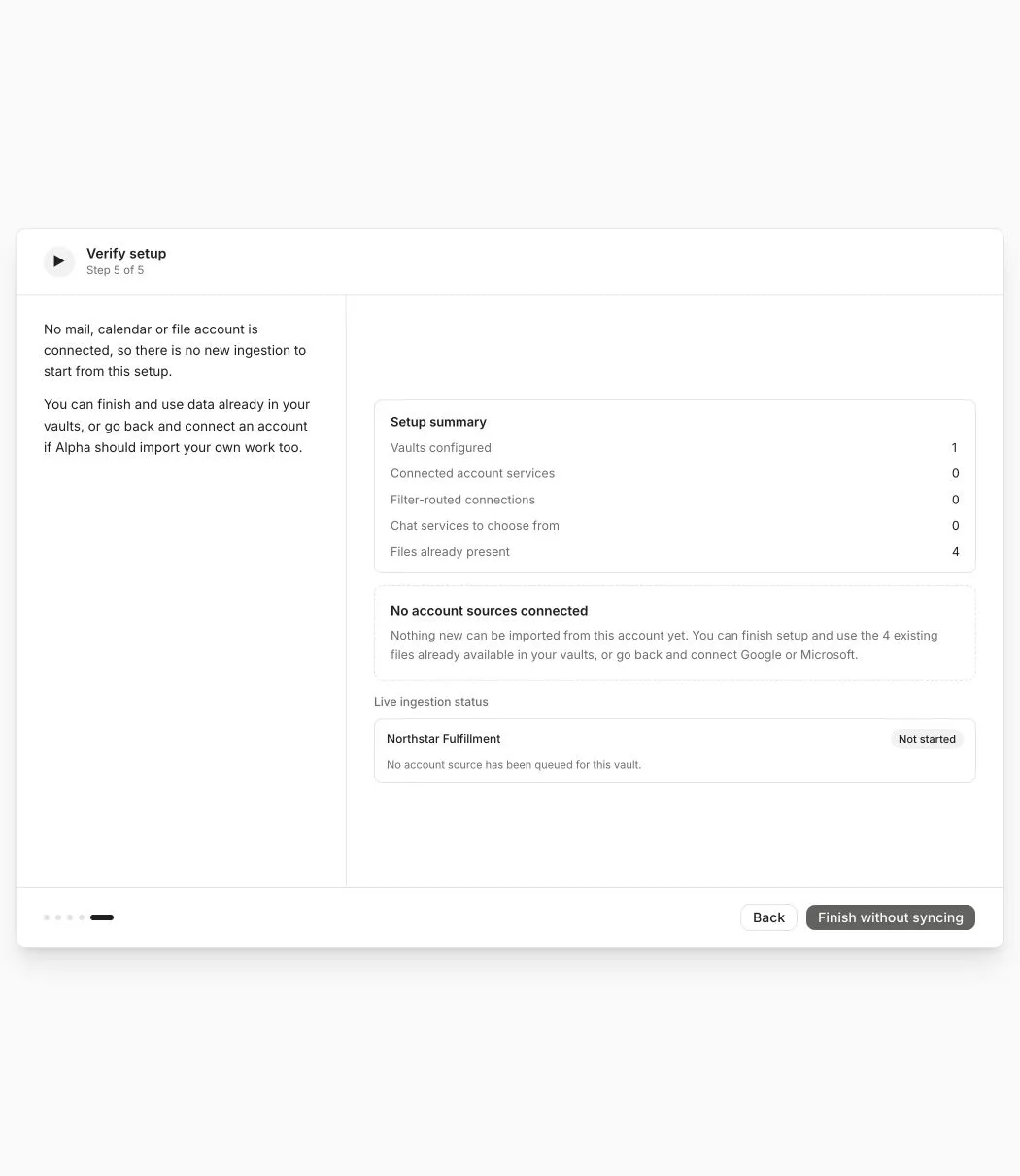
Check these values:
- Vaults configured shows every destination you expect.
- Connected account services is greater than zero for a new ingestion run.
- Filter-routed connections shows mail or calendar connections with saved vault destinations.
- Chat services to choose from reminds you about Slack or Teams selections.
- Files already present reports material already stored in the configured vaults.
If no accounts are connected, Alpha shows Finish without syncing instead of pretending that an ingestion run started. Go back to connect an account if you expected new data.
Follow the first import
After you start ingestion, open Settings > Integrations and watch the persistent status for each destination vault.
First results can appear while later documents are still processing. Open at least one meeting or file, inspect an entity and connection in the graph, and ask a source-backed question before considering setup complete.
Reopen onboarding
Return to Alpha onboarding to connect another source, add a vault, extend your personal routing rules, or approve another folder or conversation.
You can also manage the same configuration later from Integrations and Vault settings.