Knowledge graph
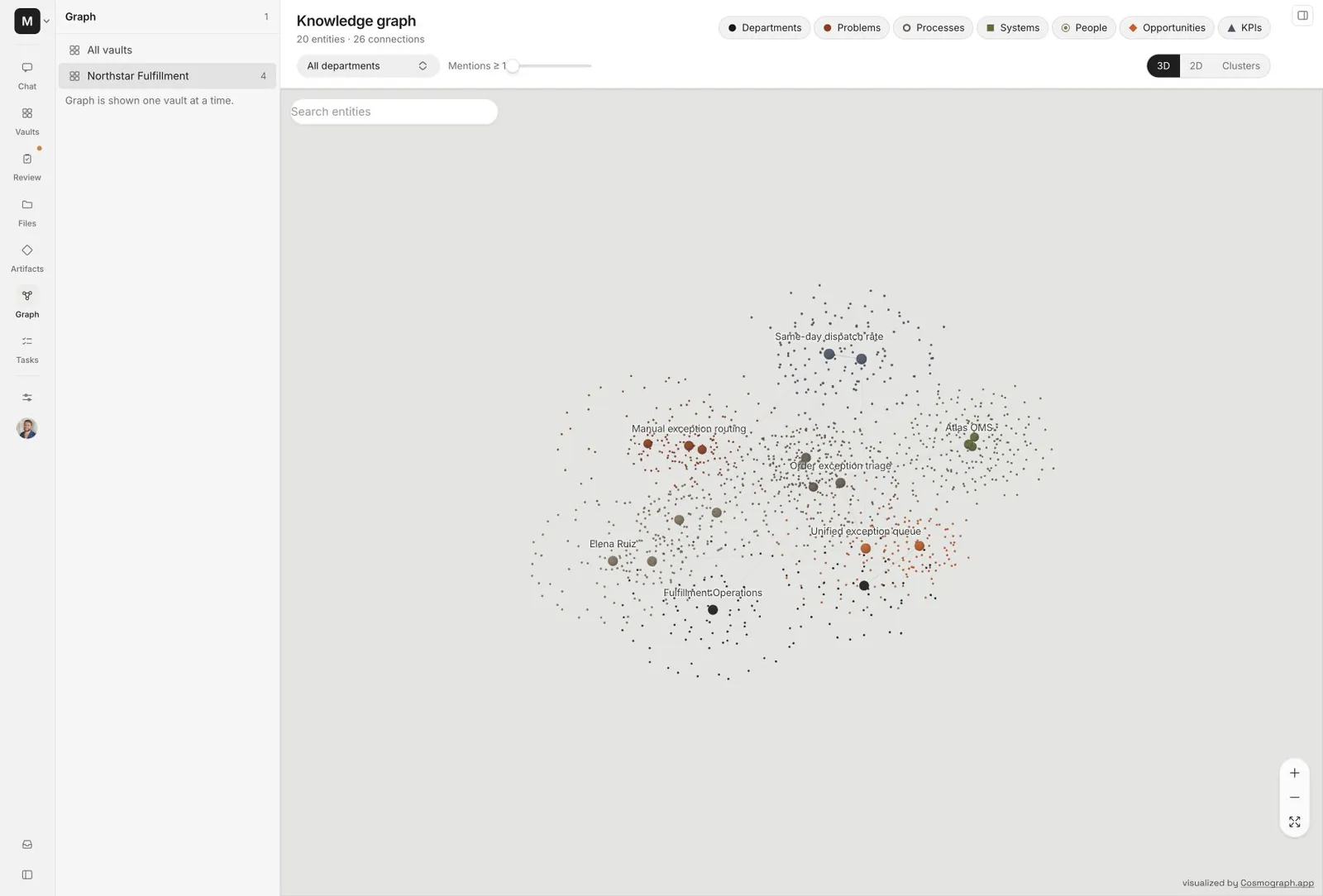
The knowledge graph shows how the work inside a vault connects. It turns evidence from meetings, mail, chat, and files into a visual map you can search and inspect.
Read the graph
The graph separates the things Alpha knows from the evidence behind them:
- A large labeled point is an entity, such as a person, system, process, problem, opportunity, or KPI.
- The small particles around it show its recorded mention density. They are not additional entities.
- A line is a relationship supported by source evidence.
- A color and shape identify the entity type.
Selecting an entity opens its details and focuses the graph on its immediate neighborhood. Open the supporting sources before using a relationship in a decision or artifact.
Choose a view
The same vault can be inspected in three ways. Changing the view does not change the underlying knowledge.
3D semantic view
3D is the default view. Drag to rotate, scroll to zoom, and use the fit control to bring the complete vault back into frame.
The position of each entity comes from its semantic embedding. Nearby entities are related in meaning, while edges show relationships extracted from the source material.
2D relationship view
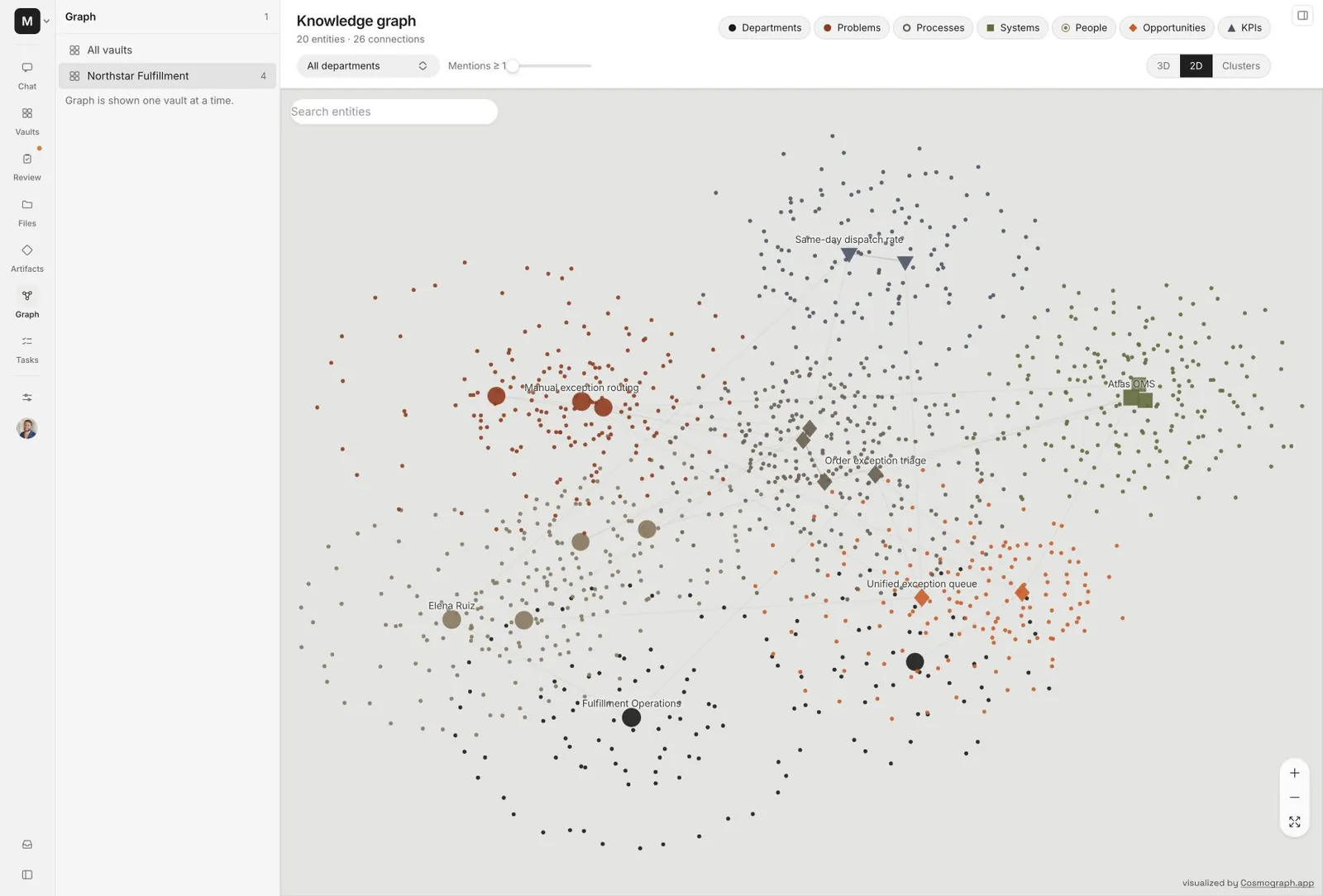
Use 2D when you want a flat, predictable map for tracing lines between entities. It preserves the semantic layout and removes camera depth.
Cluster view
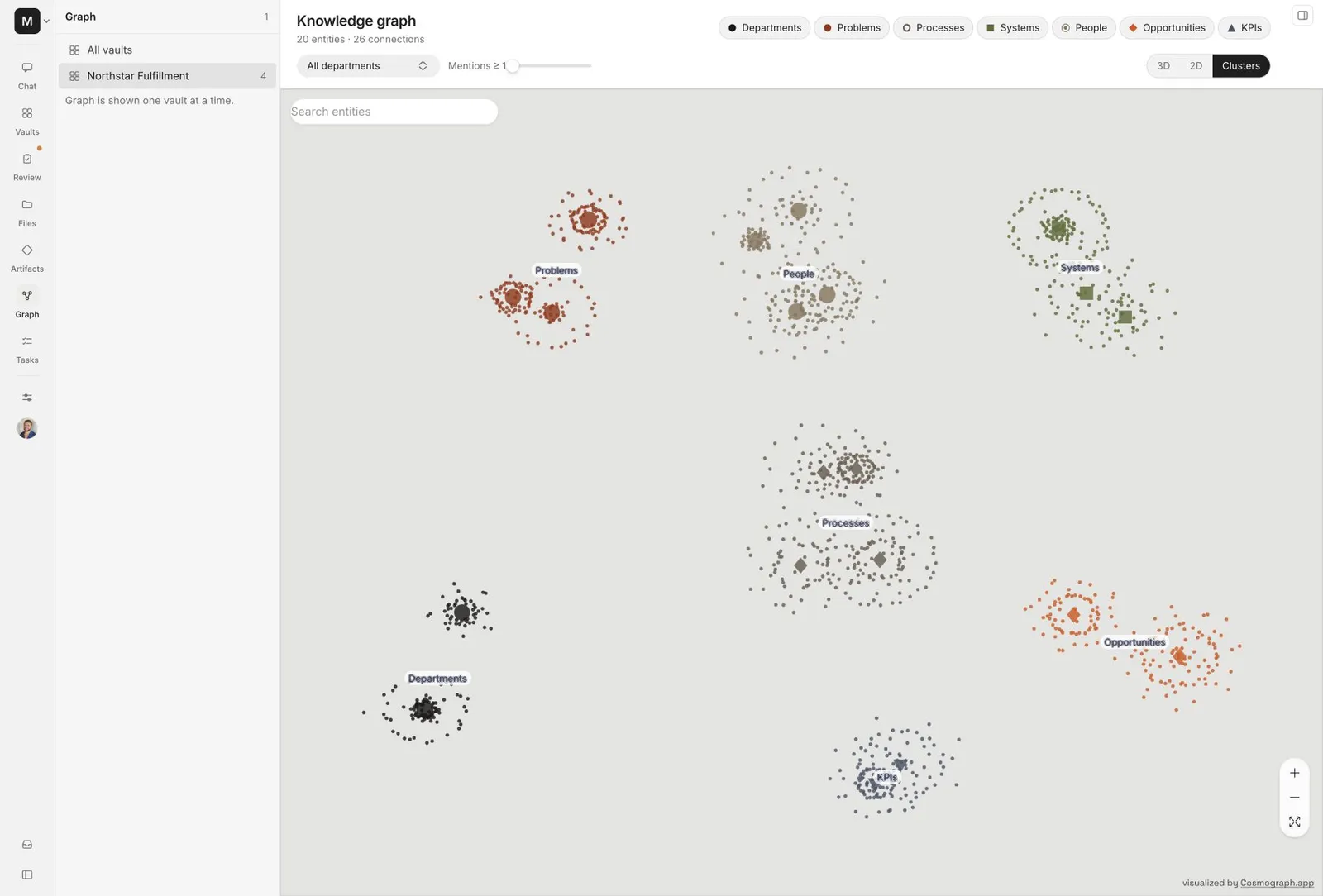
The cluster view groups the same entities and evidence particles by type. It is useful for questions such as whether a vault has many documented problems but few owners, measures, or opportunities.
Search and filter
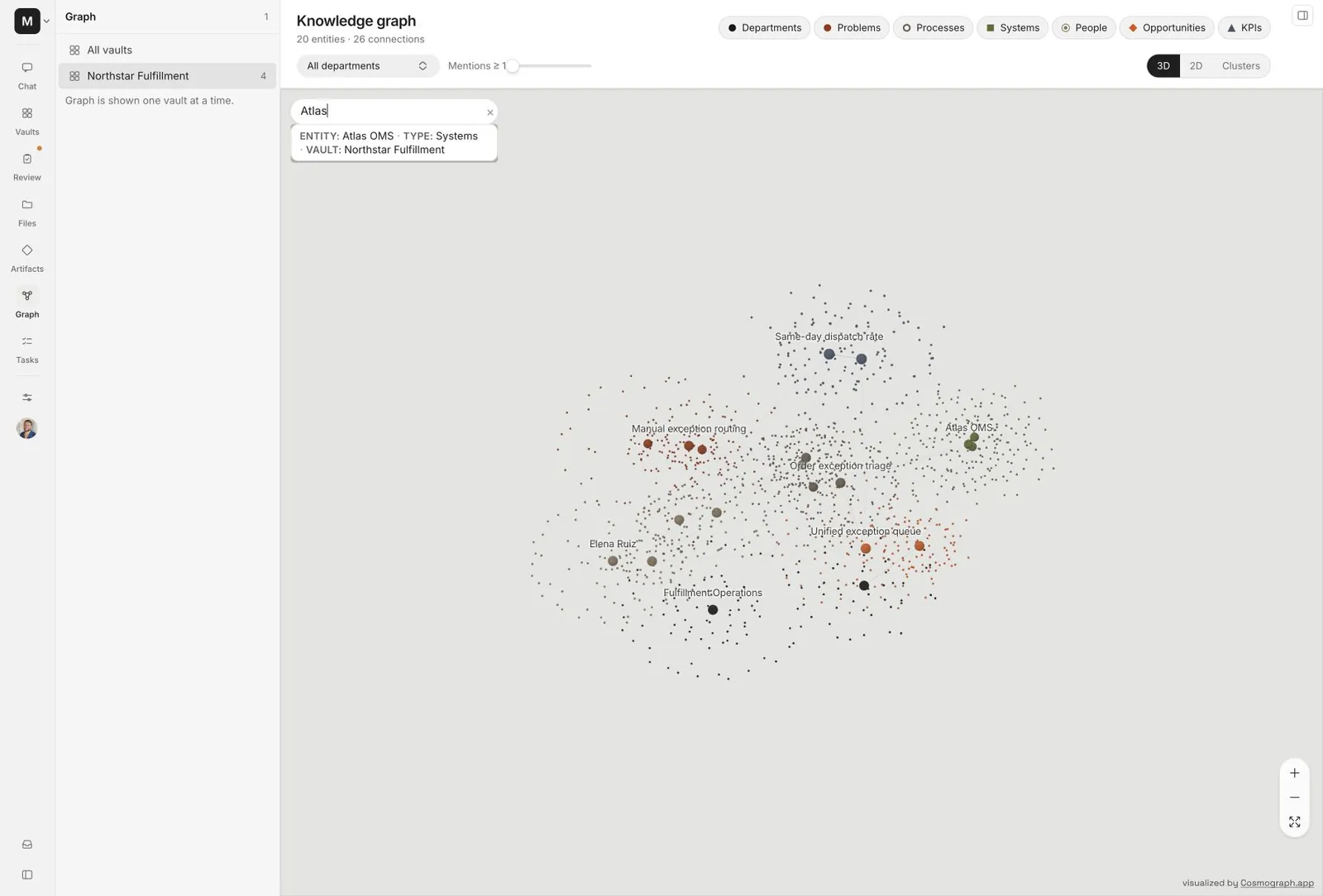
Use the controls above the canvas to reduce noise:
- Search by entity name, type, or vault.
- Toggle entity types on or off.
- Increase Minimum mentions to emphasize recurring entities.
- Filter by department when the vault contains several teams.
- Use zoom and Fit graph to reframe the current result.
Search focuses the matching entity without changing the rest of the graph. Clear the search to return to the full view.
Follow the evidence
The graph is an index into evidence, not a replacement for it.
Refresh the graph
The graph takes a fresh snapshot when the page loads. It does not continuously restart its layout while ingestion writes new entities and relationships.
Reload the page when you want a newer snapshot. This keeps the graph stable while you inspect it and prevents flicker during a large import.
Missing connections
If entities appear without meaningful relationships:
- Confirm that the underlying meetings, mail, or files finished processing.
- Open an entity and check whether source evidence was extracted.
- Review ingestion status for partial failures.
- Reload the graph after relationship extraction completes.
An imported file is not the same as a processed relationship. Large documents can appear in Files before their entities and connections finish.
Vault boundaries
A vault graph contains only that vault’s entities and relationships. The organization graph can place accessible vault subgraphs together, but it preserves the source vault for every entity and never creates cross-client relationships merely because names look similar.